v0.6.4 Open source · GPL-3.0-or-later

Cut. Color. Mix.
Deliver.

Picasso Suite is a cross-platform video editor written in Rust, laid out like DaVinci Resolve: Media, Photo, Cut, Edit, Fusion, Color, Fairlight and Deliver pages, on Windows, Linux and macOS. FFmpeg comes with every package.

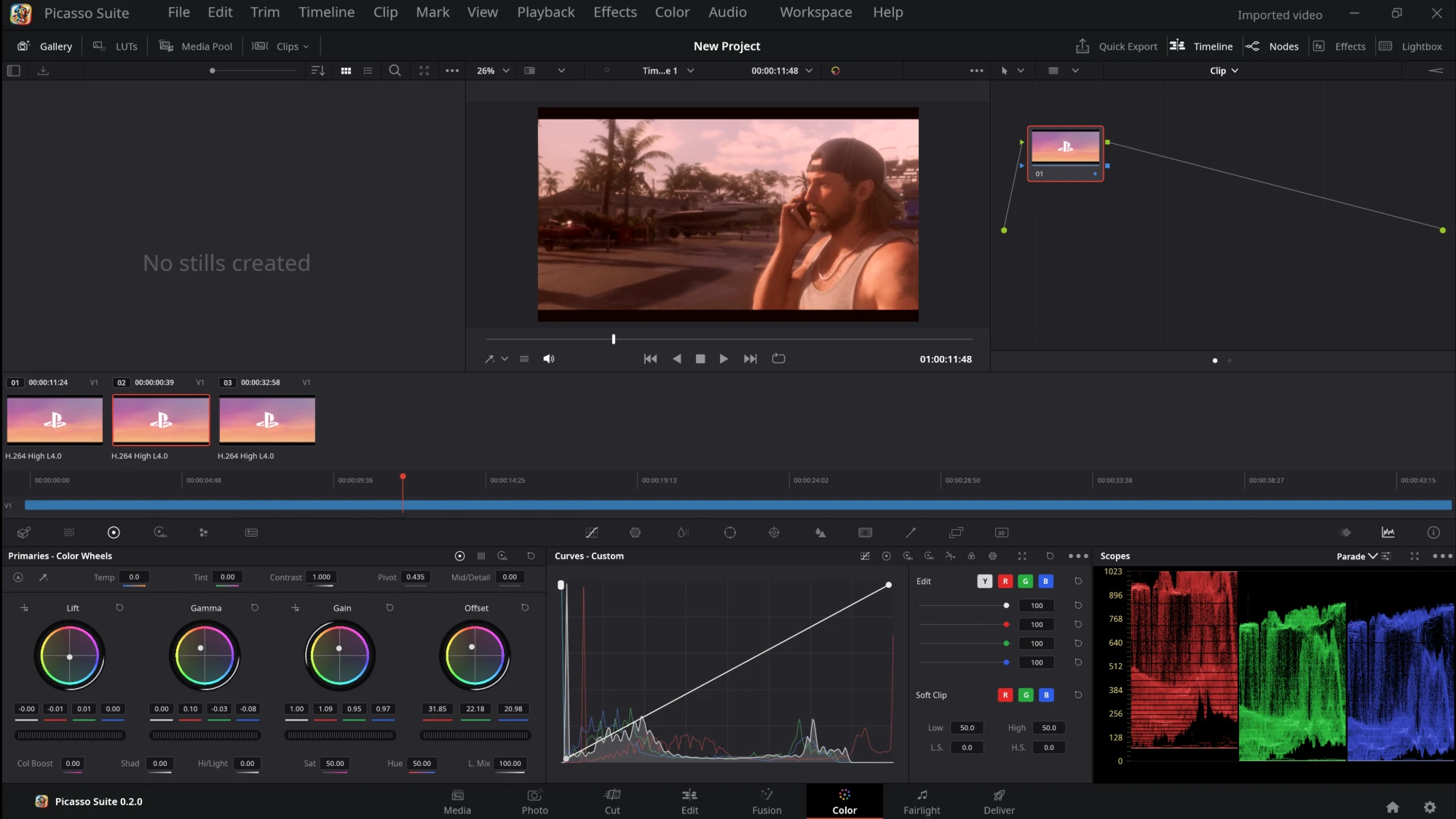
The Color page: node graph, lift, gamma, gain and offset wheels, curves with a live histogram and RGB parade scopes

The Color page: nodes, wheels, curves and scopes. Screenshot from version 0.2.0.

Features

Eight pages, one window.

Picasso Suite does the work of an editing suite the way Resolve lays it out: bring media in, cut it, grade it, mix the sound and render it, without leaving the program.

EDIT

Timeline editing

Media pool and bins, a multi-track timeline, linked picture and sound, blade, trim, ripple, roll, slip and slide, Dynamic Trim, compound clips, multicam, speed changes and ramps, keyframes, transitions, titles and undo/redo.

COLOR

Nodes, wheels and scopes

Serial, parallel and layer nodes; lift, gamma, gain and offset wheels; custom curves (Y, R, G, B, intensity and soft clip); qualifier and power windows; LUTs; gallery stills; parade, waveform, vectorscope and histogram.

FAIRLIGHT

Audio mixing

Per-track EQ and compressor, meters, loudness (BS.1770), recording from the microphone, voice-over, Bounce Mix to Track and Bounce Selected Tracks, and audio scrubbing.

FORMATS

Any format FFmpeg reads

H.264, H.265/HEVC, ProRes, DNxHR, AV1, VP9 and more, plus images and sound, decoded on the graphics card where it can. FFmpeg is included in every package.

DELIVER

Render and queue

H.264, H.265 and AV1 (8 or 10-bit, on the processor or an NVIDIA, Intel, AMD, Apple or VA-API encoder), VP9, ProRes, DNxHR, lossless FFV1, WAV, MP3 and PNG sequences, with a render queue and Resolve's render presets.

RESOLVE

DaVinci Resolve files

Opens .drp projects, .drt timelines, .drb bins and XML exports, taking the name, frame rate, picture size and media.

INTERCHANGE

Other editors

Exports timelines as Final Cut Pro 7 / Premiere XML, AAF (Avid Media Composer, Pro Tools), OpenTimelineIO and EDL, and imports the same, matching their clips to your media.

YOURS

Keyboard Customization

Any command's keys can be changed, and a key that is already taken is moved after asking. Your choices are saved in the preferences.

CARE

Updates and bug reports

Help > Check for Updates installs the latest release. Help > Export Log File saves the session's log, kept in memory and never written while you work, and picasso-suite --graphics-check reports what your graphics card draws.

See it

Every page, as in Resolve.

Dark panels, a page bar along the bottom and the same eight pages in the same order.

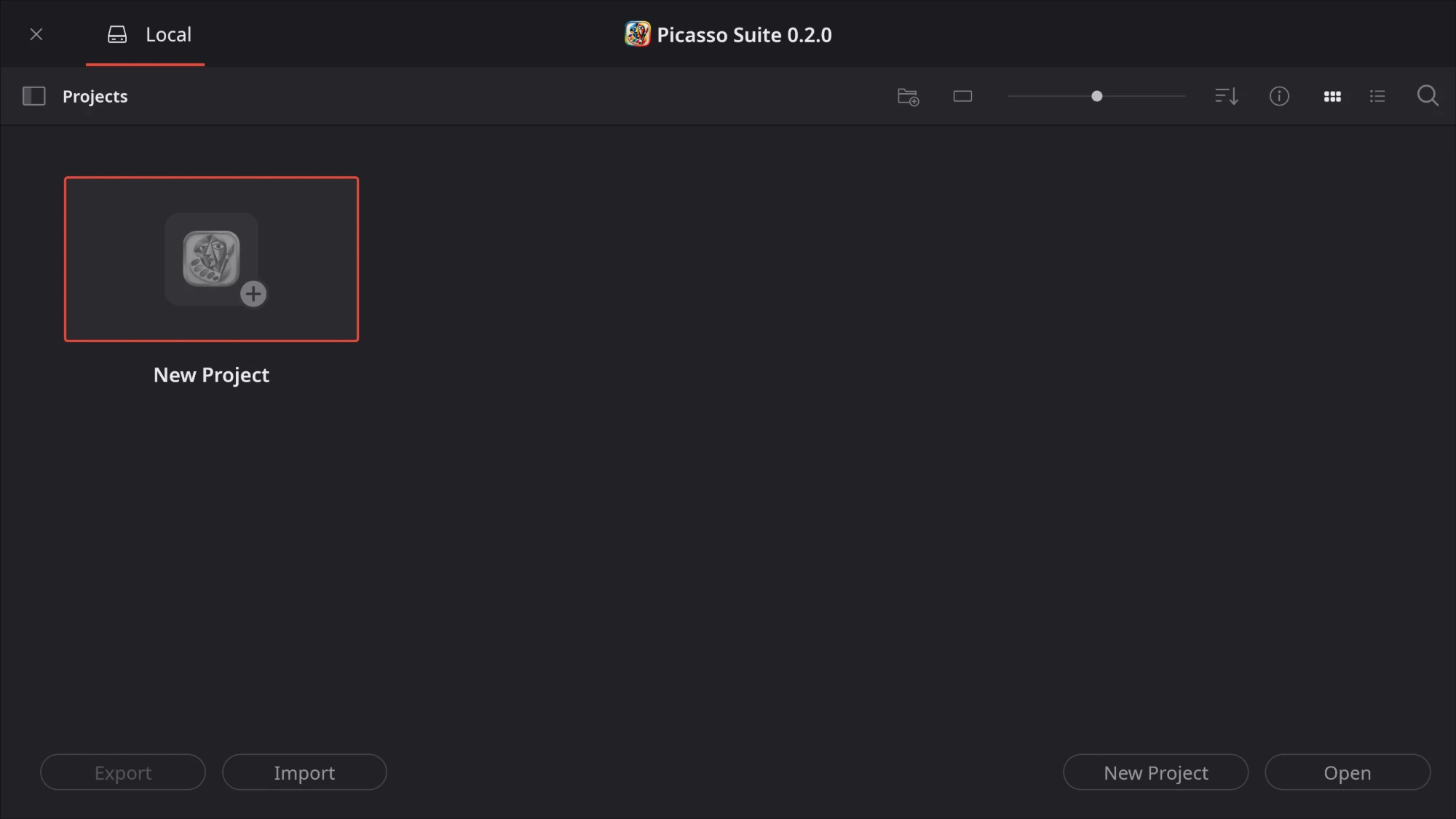
The Project Manager
Project Manager — your local projects, with New Project, Open, Import and Export.
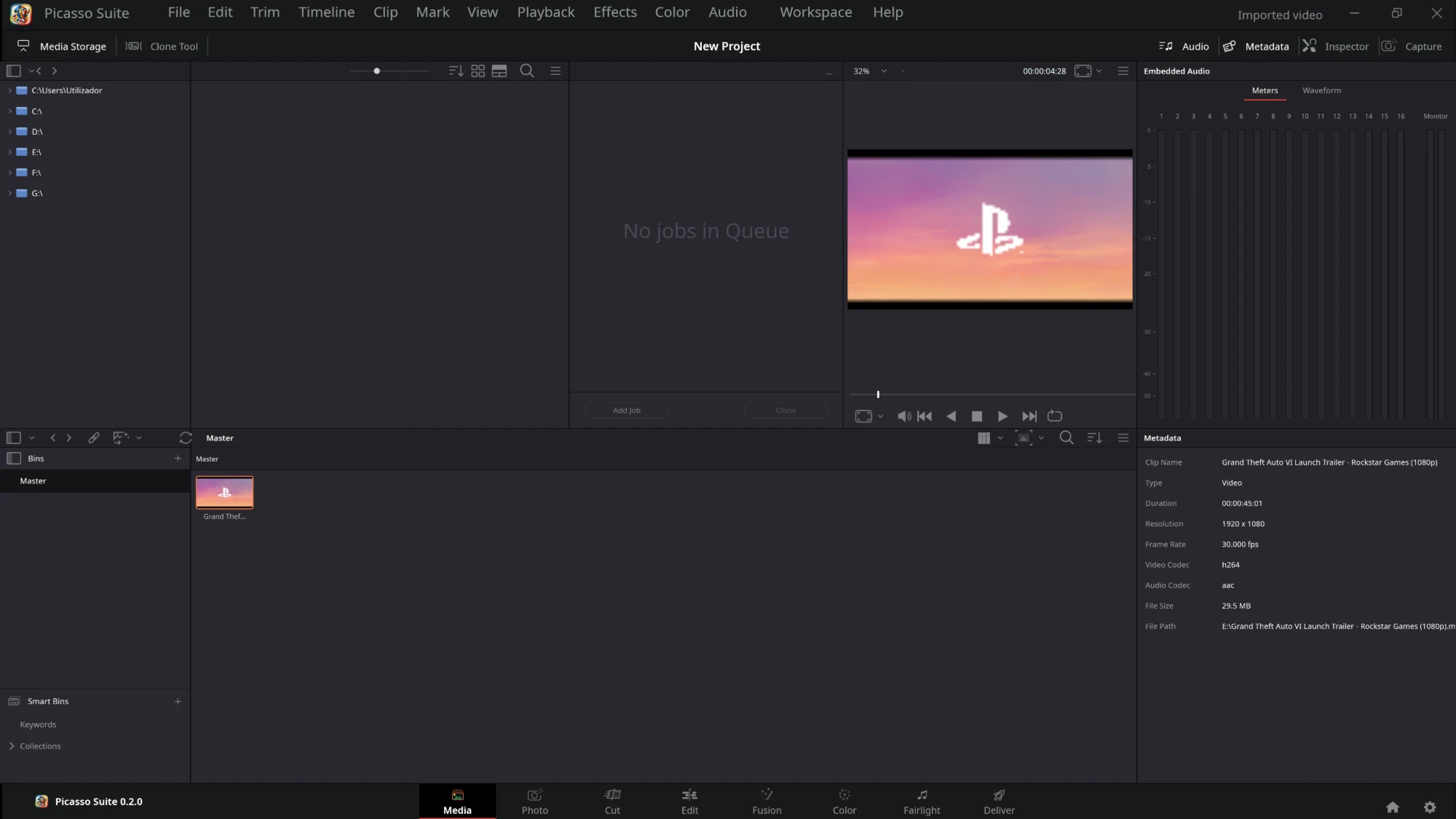
The Media page
Media — browse your drives, preview a clip with its audio meters and read its codec, size and frame rate before adding it to the pool.
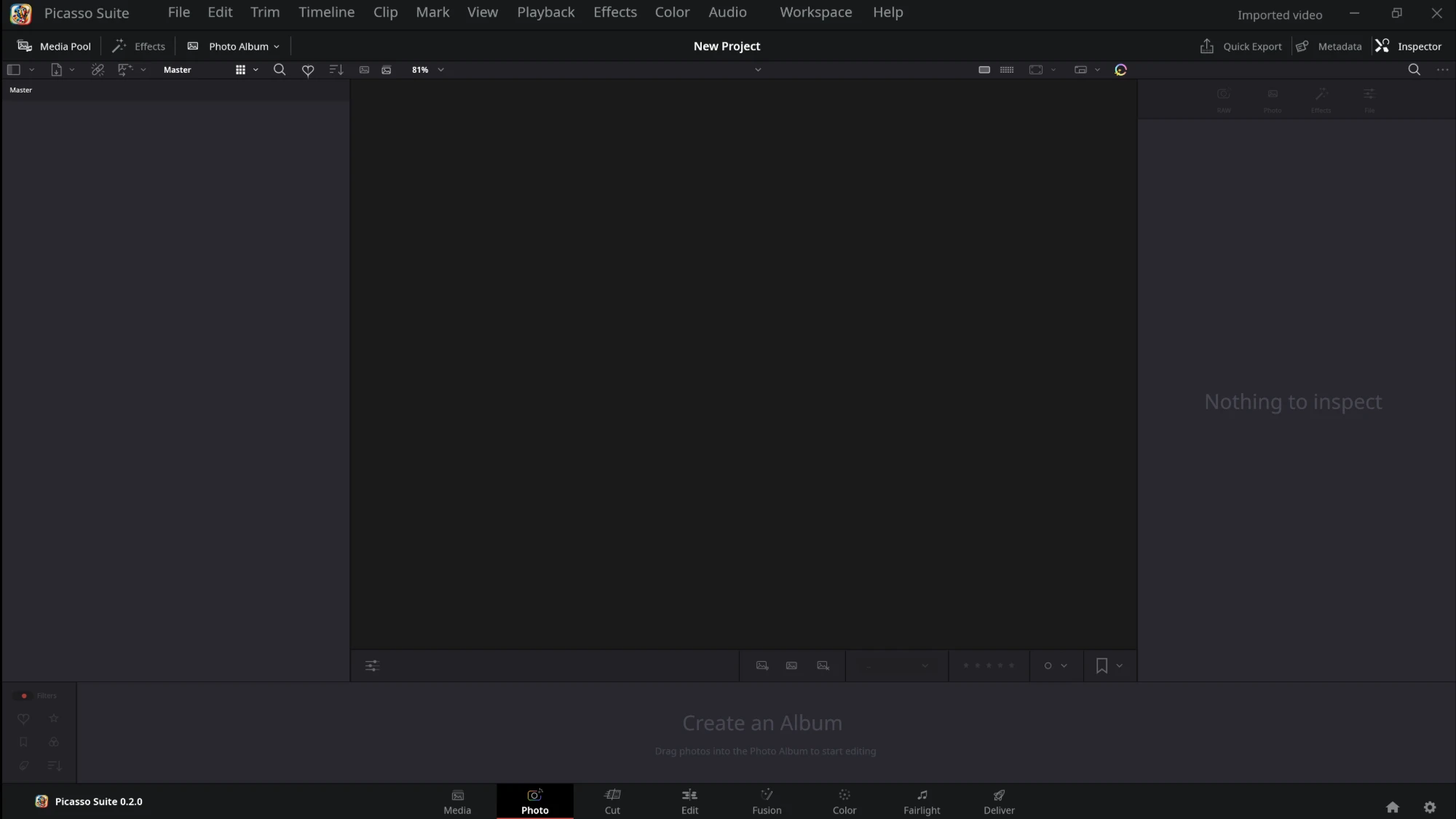
The Photo page
Photo — the photo album, viewer, rating bar and inspector.
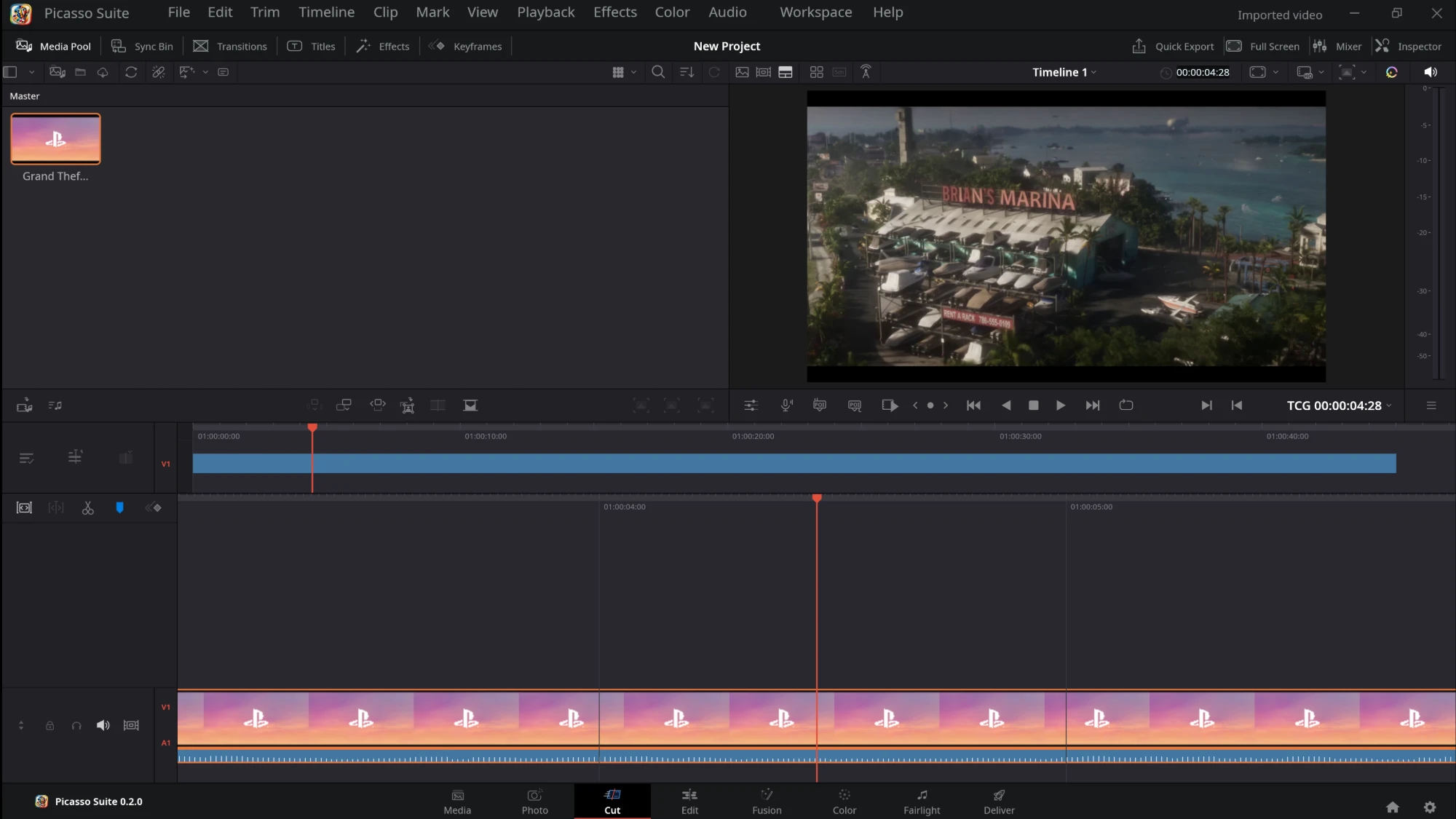
The Cut page
Cut — the media pool and viewer over two timelines: the whole edit on top, a close-up around the playhead below.
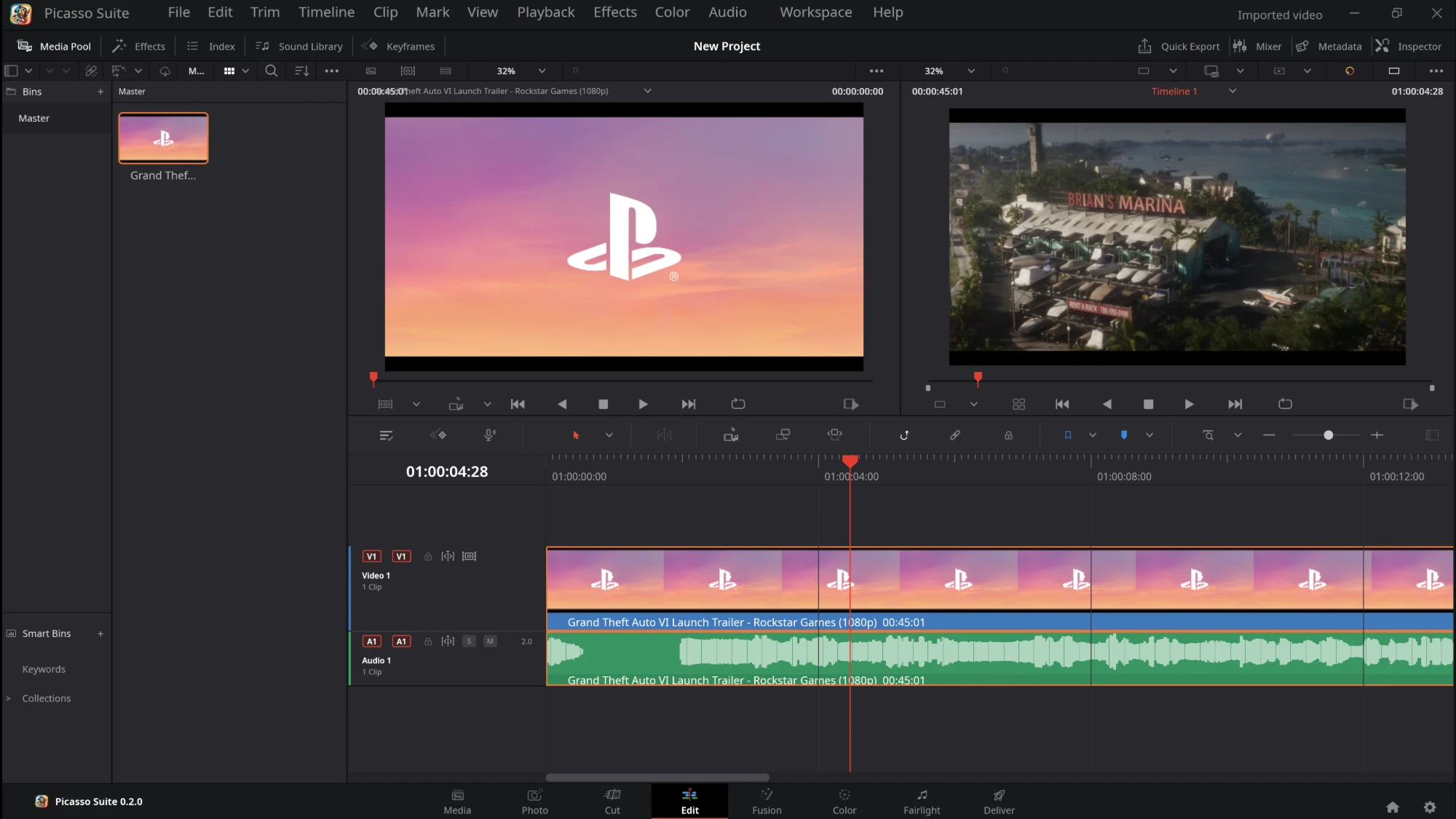
The Edit page
Edit — source and timeline viewers, the toolbar, and video and audio tracks with thumbnails and waveforms.
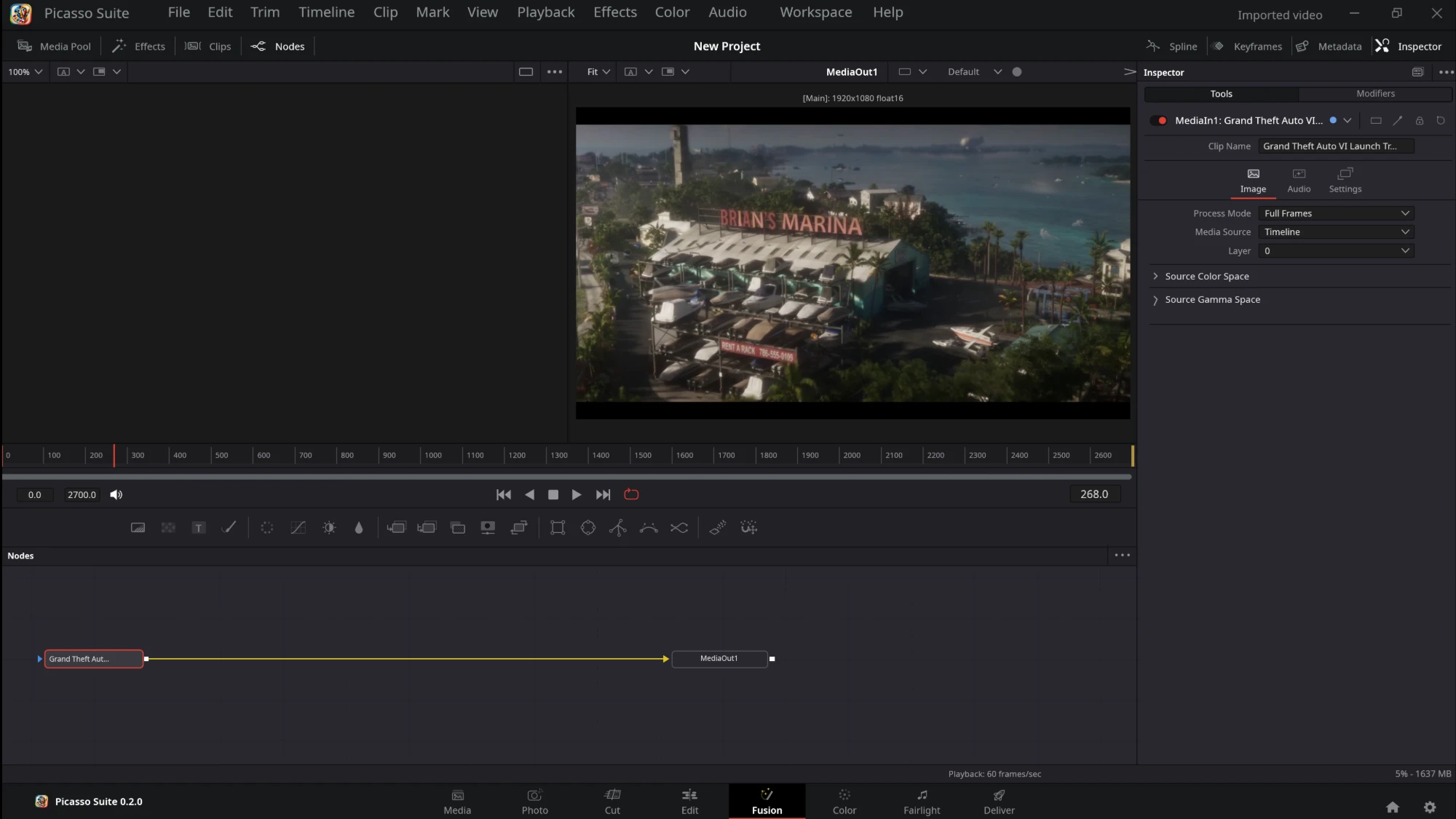
The Fusion page
Fusion — the clip's MediaIn and MediaOut nodes, the viewer, the frame ruler and the inspector.
The Color page
Color — clip thumbnails, the node graph, color wheels, curves with a live histogram and RGB parade scopes.
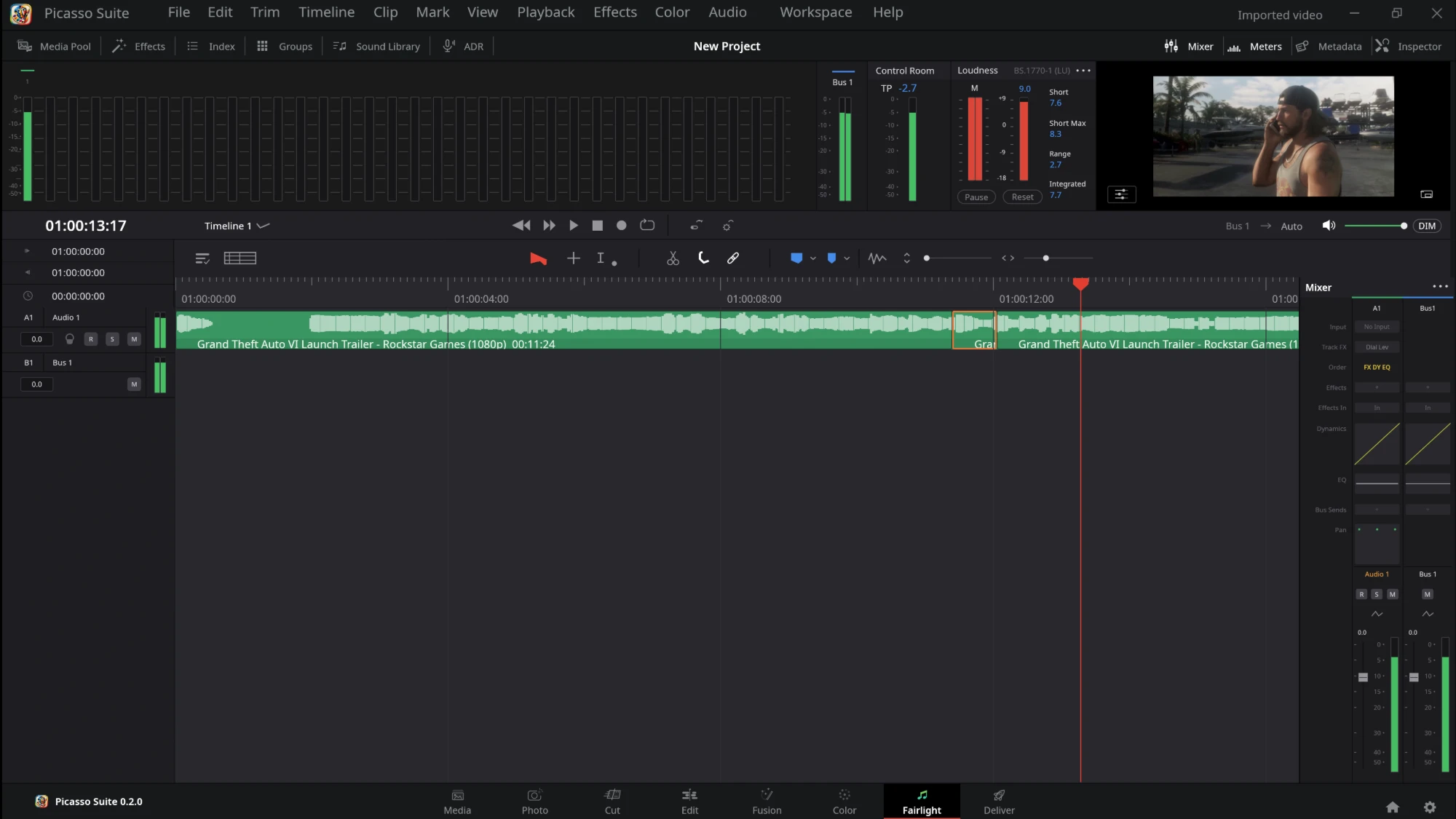
The Fairlight page
Fairlight — audio tracks with waveforms, track and bus meters, loudness and the mixer.
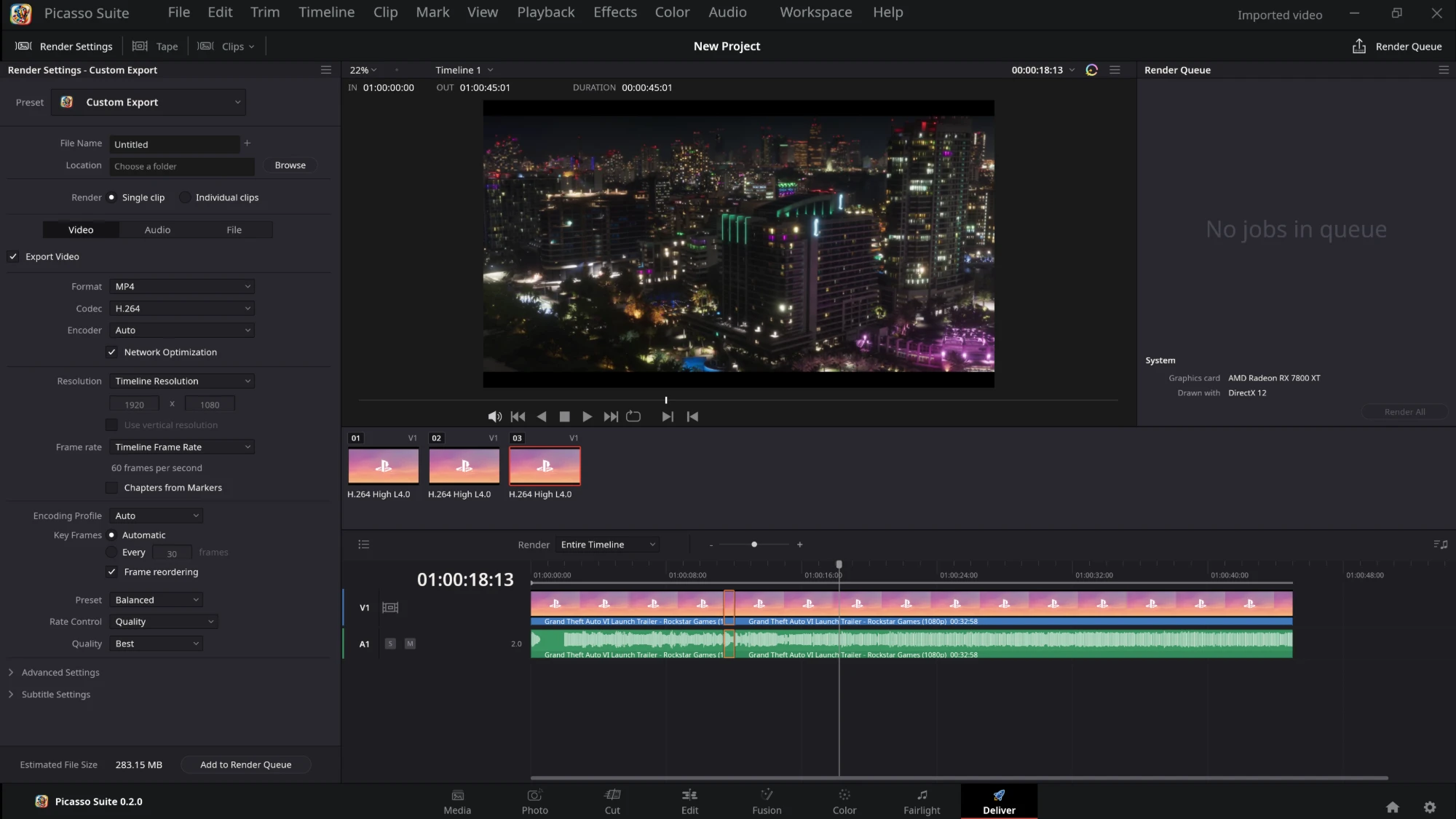
The Deliver page
Deliver — Custom Export render settings, the render queue, clip thumbnails and the timeline.
In and out

Reads almost anything. Writes what you need.

Decoding is on the graphics card where it can be (D3D11 on Windows, VideoToolbox on macOS, VA-API or CUDA on Linux), with a switch in System Preferences, and a clip the card cannot decode falls back to the processor.

Reads

  • H.264
  • H.265 / HEVC
  • ProRes
  • DNxHR
  • AV1
  • VP9
  • and anything else FFmpeg reads
  • .drp
  • .drt
  • .drb
  • FCP7 / Premiere XML
  • AAF
  • OpenTimelineIO
  • EDL

Writes

  • H.264
  • H.265
  • AV1 (8 / 10-bit)
  • VP9
  • ProRes
  • DNxHR
  • FFV1
  • WAV
  • MP3
  • PNG sequence
  • NVENC · Quick Sync · AMF · VideoToolbox · VA-API
  • FCP7 / Premiere XML
  • AAF
  • OpenTimelineIO
  • EDL
Performance

Light and quick on its feet.

The viewer's picture is put together on a thread of its own, and the graphics card is used only where it is faster than the processor.

~30 MB program

About 30 MB on Linux with FFmpeg's libraries beside it; the packages, FFmpeg included, are 36 to 76 MB. An empty project takes about 160 MB of memory.

Scrubbing that keeps up

A picture still being decoded is dropped as soon as the playhead moves on. Dragging across 4K video with a key frame every 2 seconds, the exact picture arrives about 200 ms after letting go.

The card, only where it helps

The first pictures of a file are timed on the graphics card; if they take too long, the processor is tried and the faster way is kept for that file. A switch in System Preferences turns it off.

Honest status

How much works.

Every entry of every menu is counted, and the ones that are not made yet are shown disabled. The numbers come from the repository and change with each release.

95.40%
of the menu entries work (602 of 631)
75.89%
of the roadmap is done (107 of 141 items)

The to-do items on the roadmap are bigger than the done ones, so the share looks better than the work left. See Menu-Status.md for each menu entry and the roadmap for what is next. Every release's changelog lists what was tested and what was not.

Download

Get Picasso Suite 0.6.4.

Prebuilt packages with FFmpeg bundled. Free and open source under the GPL.

Windows

Windows 10 or newer. Unzip the whole folder and run picasso-suite.exe.

> picasso-suite.exe

macOS

A universal app for Apple silicon and Intel; needs macOS 15 or newer. It is not signed: right-click → Open the first time.

$ mv "Picasso Suite.app" /Applications

Linux

An AppImage needs no installation (glibc 2.35 or newer). Also a .deb, an .rpm and a Flatpak.

$ chmod +x picasso-suite-*.AppImage
$ ./picasso-suite-*.AppImage

Also: .deb · .rpm · Flatpak

From source

Rust 1.95 or newer, FFmpeg 7.1 (the shared build) and LLVM 19 for the FFmpeg bindings. The README covers every platform.

$ cargo run --release -p picasso-suite
Picasso Suite is still before 1.0: 95.40% of its menu entries work and the rest are shown disabled. Keep copies of projects you care about and use it at your own risk. On a Wayland desktop the window opens through XWayland, so files dragged from the file manager may not arrive.

Packages for Linux on ARM64 (.deb, .rpm, AppImage, Flatpak) are on the release page. If the window stays black or slow, run picasso-suite --graphics-check and send in the report it saves.

Under the hood

Small crates, one job each.

The code never panics (no unwrap, expect or panic!) and every change to a project is a command, which is what gives the editor its undo history.

picasso-corethe project model, every edit as a command, undo history, project files
picasso-colorgrading maths (wheels, curves, qualifier, windows, LUTs) and the scopes
picasso-decodeFFmpeg: probe, video frames, audio, waveforms
picasso-audiothe mix, background audio decoding and the sound card output
picasso-mediafacts about imported media and the .picasso project file (SQLite)
picasso-exportrendering to files through FFmpeg
picasso-renderthe compositor that makes a frame
picasso-drpreads DaVinci Resolve files
picasso-uithe interface: pages, timeline, wheels, scopes, menus, icons
apps/studiothe desktop program (and the WebAssembly entry point)
apps/bridgepicasso-bridge, Resolve files from the command line
Open source

Built in the open.

Issues and pull requests are welcome. The menus follow a written spec, the status of every entry is listed, and a graphics report from your computer helps more than you would think: only a few graphics cards have been tried.